

You ask Claude, ChatGPT, v0, Lovable or Bolt for a client page, and a few minutes later you have clean HTML that looks right in the browser. Then the afternoon disappears, because getting that page into Elementor is a separate job. Anyone who has tried to move AI-generated HTML to Elementor knows the two usual workarounds, and both cost something.
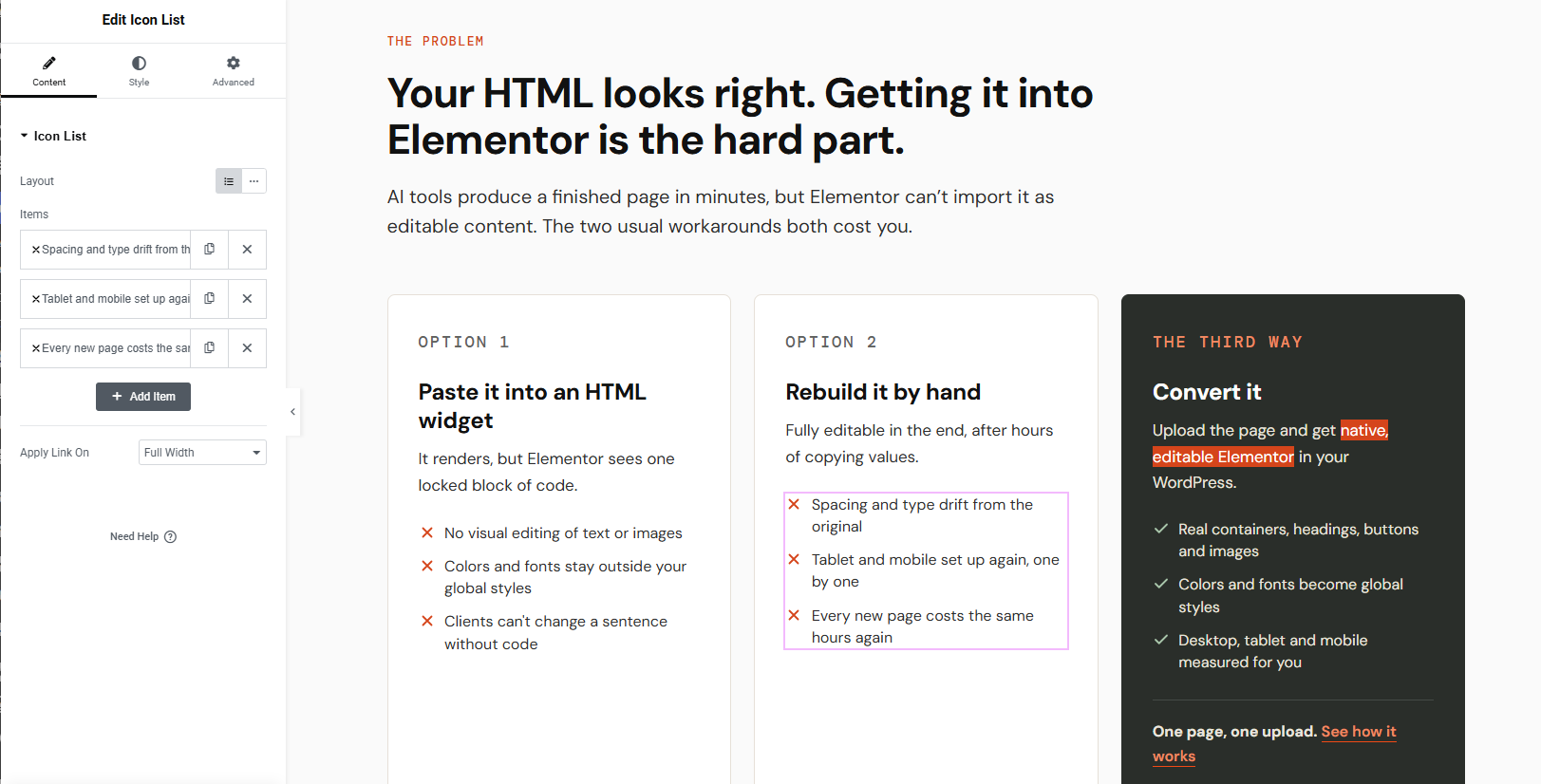
The first is to paste the code into an HTML widget. The page renders, but nothing on it is editable in Elementor, and its colors and fonts stay outside your global styles. The second is to rebuild the page by hand. You end up with an editable page, but spacing drifts from the original and you set up tablet and mobile layouts again from scratch.
My plugin takes a third route. You upload the page, and it builds native Elementor containers and widgets, with the page’s colors and fonts saved as global styles. This article covers why we built it, how it works, what was hard, and what it can’t do yet.
Why I built it: the initial idea
I run Themnific as a solo founder. I have spent years building WordPress themes and creating layouts in Elementor using its widgets, so I know where Elementor pages usually go wrong. Recently my own pages (for my side projects) started life as AI-generated HTML, and moving them into Elementor kept eating hours. (for example my cold-leads site LocalTarget.app).
Before writing anything, I looked at existing converters. Most charge per credit, send your HTML to an external service, or paste the result as a single HTML block. None of those fit how I wanted to work, so I will keep this to categories and leave names out.
The idea came down to one simple principle: the browser already knows exactly how a page looks at any screen width. I use those measurements to recreate the page in Elementor, directly on your own WordPress site. From day one, I set three guiding principles:
- Native widgets, not an HTML widget. Every element you edit afterward is a real Elementor element.
- A design system, not just a layout. Colors and fonts become Elementor Kit globals, so one change updates the whole page.
- Nothing leaves the site. There are no API keys, no credits, and no conversion service.
I also chose rules over AI for the conversion itself. The same page produces the same result every time, and nothing is guessed. If a conversion looks wrong, you can trace it to a measurement rather than a model’s interpretation.
How it works
The plugin follows four steps, and the same four appear on the product page. That way you see one consistent story from first click to finished page.
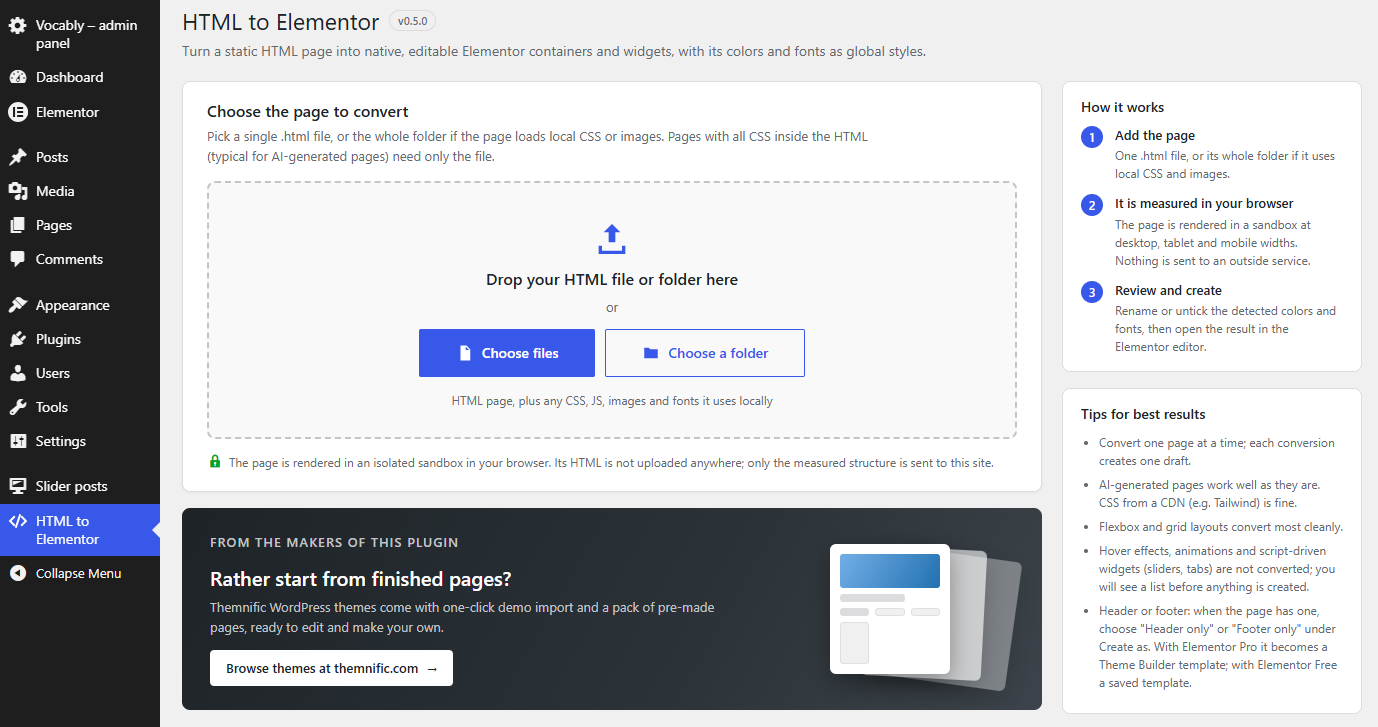
Step 1: Upload
You drop in an .html file, or a whole folder that holds its CSS, images and fonts. A single file works for simple pages, but a folder keeps stylesheets and assets linked correctly. A common mistake is uploading only the HTML and wondering why images and fonts are missing.
Step 2: Measure
The page renders in a sandbox in your browser at 1440, 820 and 390 px. The plugin reads real positions and styles at each width. This is what lets it rebuild desktop, tablet and mobile layouts instead of copying one layout three times.
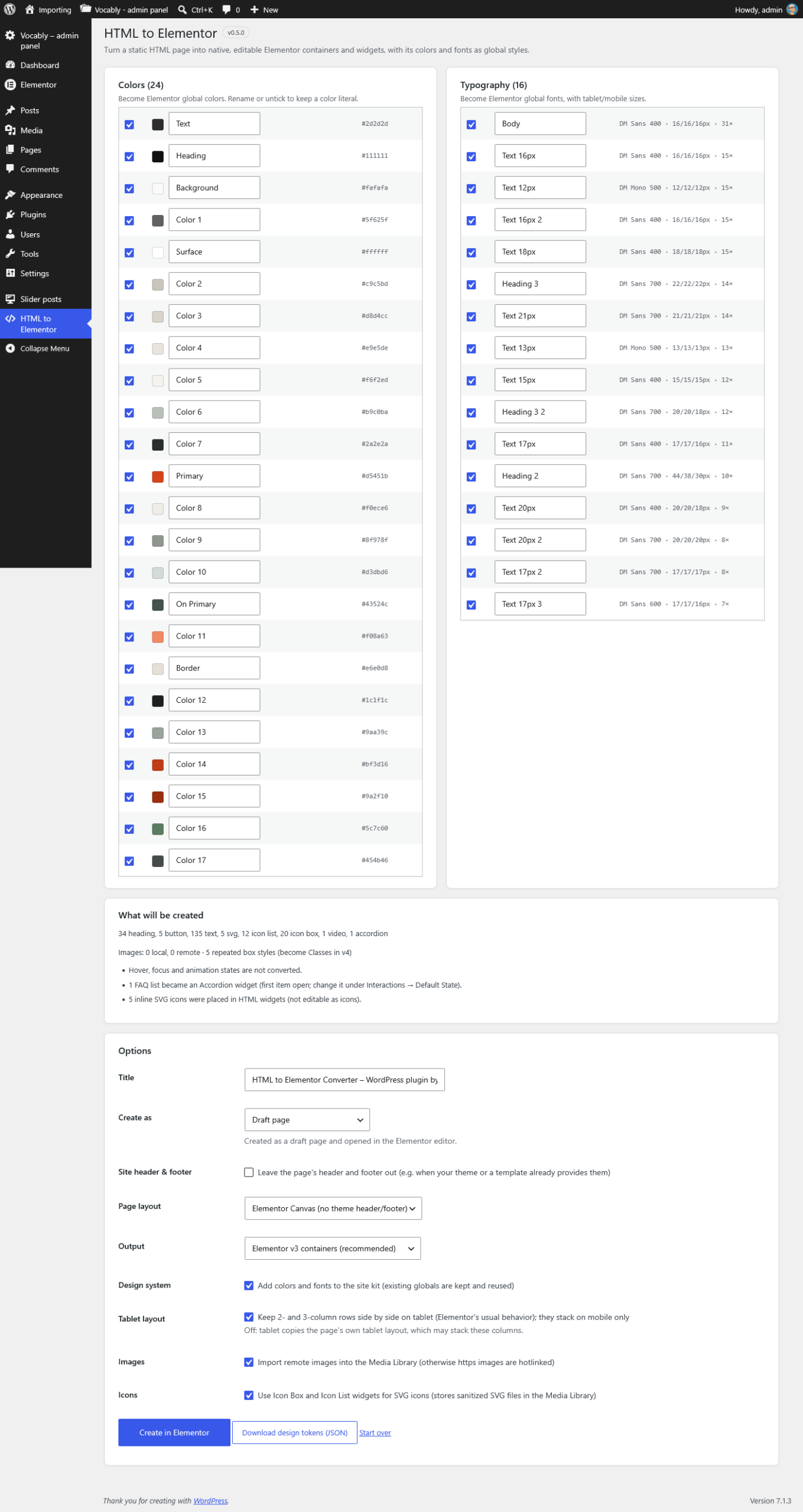
Step 3: Review
Here you rename or untick detected colors and fonts, and read the list of what won’t convert. You also choose what to create: a page, a template, a header or a footer. Unticking a stray color at this point keeps it out of your Kit.
Step 4: Create
Images go to the Media Library, and the globals merge into your Kit. The page then opens in the Elementor editor, ready to edit.
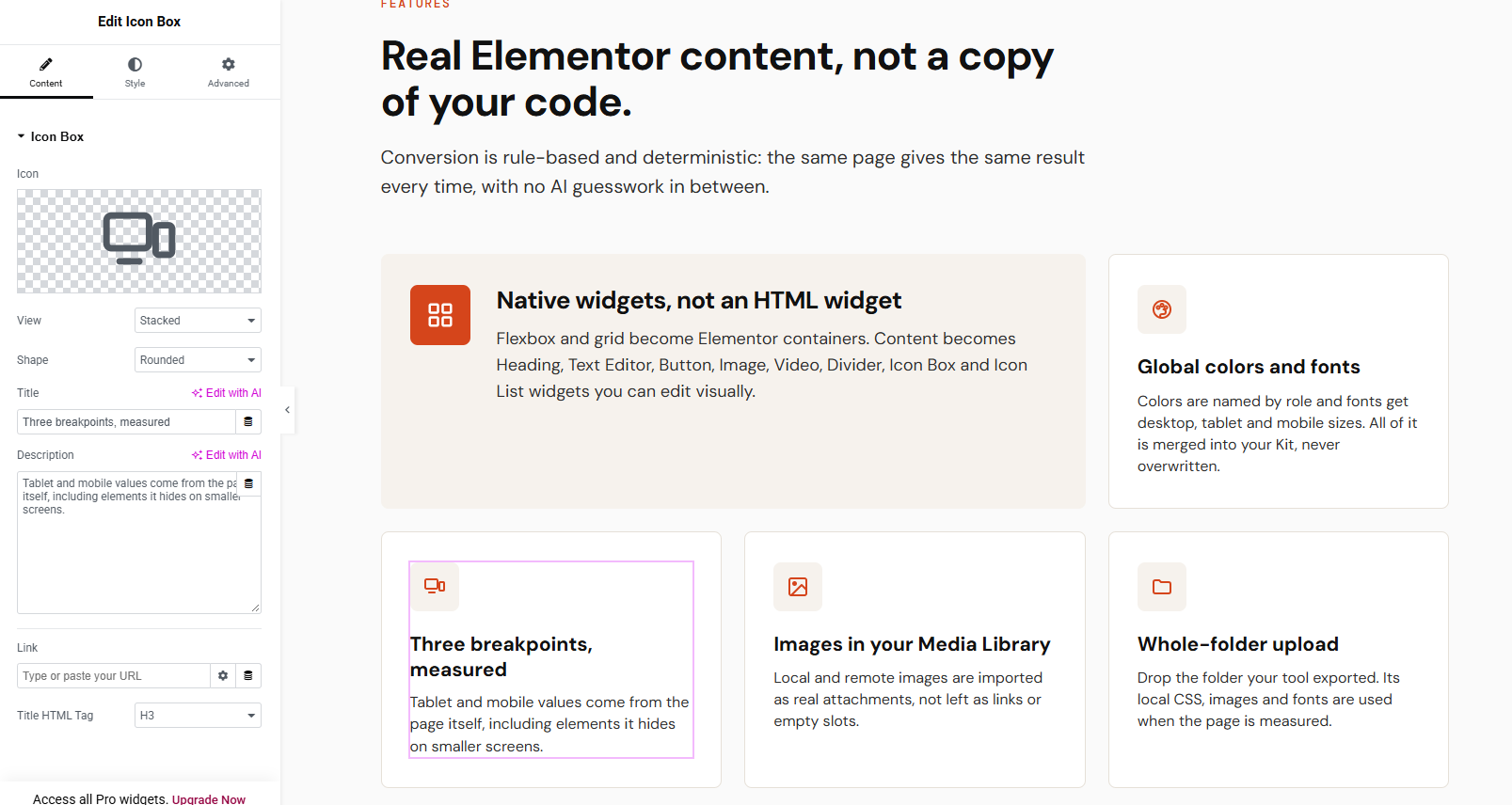
The output uses containers (flexbox and grid) plus Heading, Text Editor, Button, Image, Video, Divider, Icon Box, Icon List and Accordion widgets. FAQ lists become an Accordion. Rows with two or three columns stay side by side on tablet, which matches Elementor’s default behavior.
See the full feature list and the $9 launch price
What was hard
Most of the work went into the gap between what a browser measures and what Elementor accepts. Each problem below showed up in a real Elementor install, and each fix is a rule in the plugin.
Similar colors merged
A cream panel and the off-white page background became one global color, so sections lost their backgrounds. The plugin had treated two close colors as duplicates. It now merges colors only when the difference is rounding noise.
Spacing in rows
Plain text next to an icon was not measured, so one row got a 440 px gap. The plugin had only measured elements, and bare text sat outside that list. Bare text is now measured like any other element.
Flex versus grid per device
Elementor’s container layout is a single setting for all devices, so a grid on tablet was ignored. The page looked correct on desktop and broke at 820 px. Those breakpoints are now rebuilt as wrapping flex rows with exact widths.
Elementor’s hidden mobile defaults
Grids fell back to one column on mobile, and Icon Box icons jumped above the text. Elementor applies its own mobile defaults when a value is missing. The plugin now writes every device’s value explicitly, so nothing depends on a default.
One invalid CSS value
A unitless 0 inside Elementor’s calc() dropped margin-left: auto, so tags that should sit on the right stayed on the left. The page looked fine in the browser, and only Elementor ignored the rule. Every value now carries a unit.
The lesson was the same each time. Testing in a real Elementor at three widths found bugs that offline checks missed.
Limits, who it’s for, and the offer
Some things don’t convert yet, and it is better to say so plainly.
- Not converted: hover and animation states, JavaScript behavior (sliders and tabs), CSS pseudo-element decorations, and sticky or fixed positioning.
- Simplified: forms and tables stay static HTML, and gradients with more than two colors are reduced.
- Output version: the plugin builds Elementor 3 containers. Elementor 4 (Atomic) is the next step.
- Scope: one page per conversion.
The plugin fits four groups of people:
- Freelancers turning AI mockups into client sites.
- Agencies moving static landing pages into Elementor.
- Theme makers who prototype in code.
- Site owners leaving a static site.
The launch price is $9 one-time. That covers unlimited conversions and 1 year of updates, and the plugin keeps working after that year ends. It works with Elementor Free.
Last modified: