The Lightweight Gutenberg WordPress Theme Built for Serious Bloggers.
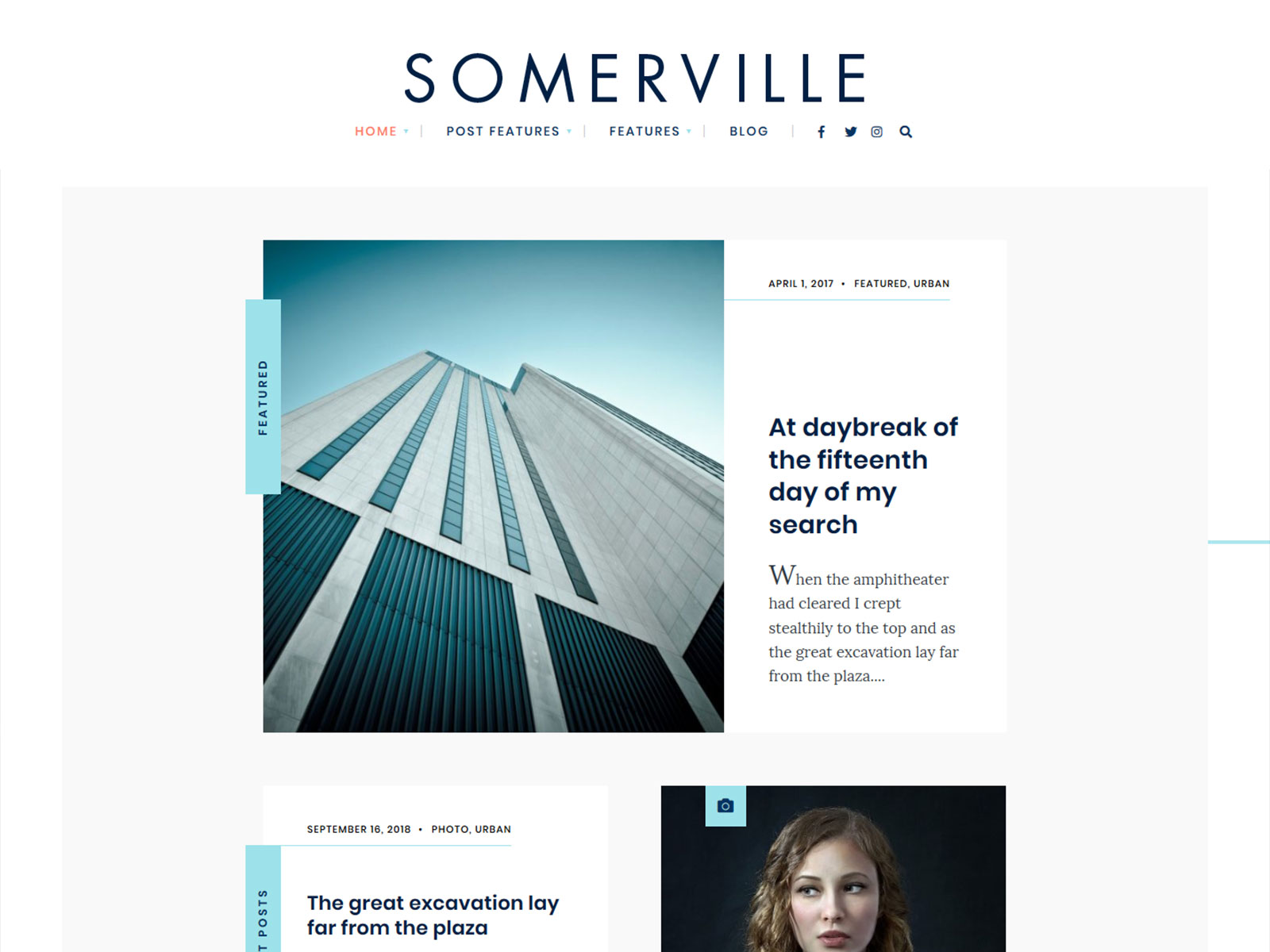
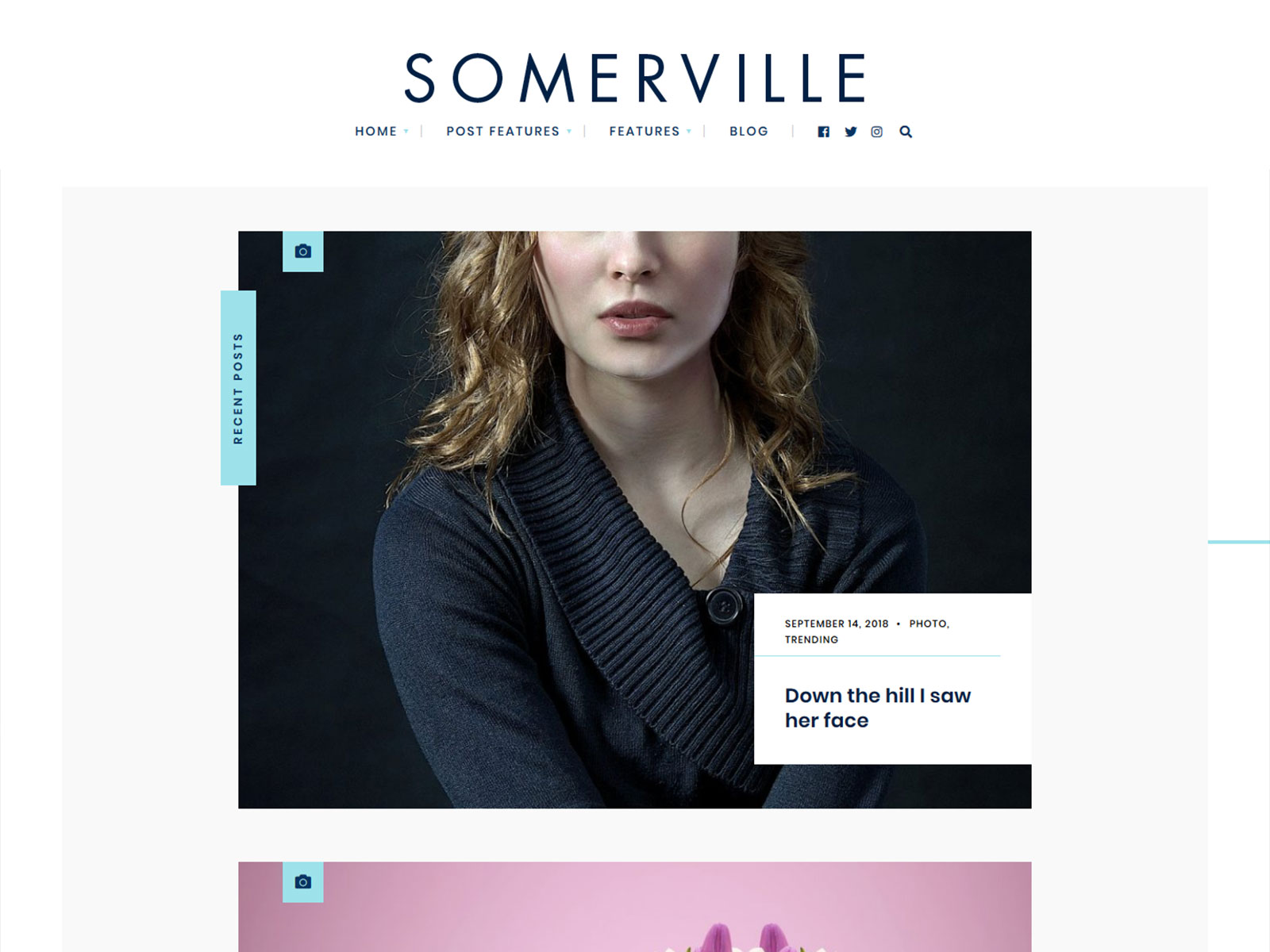
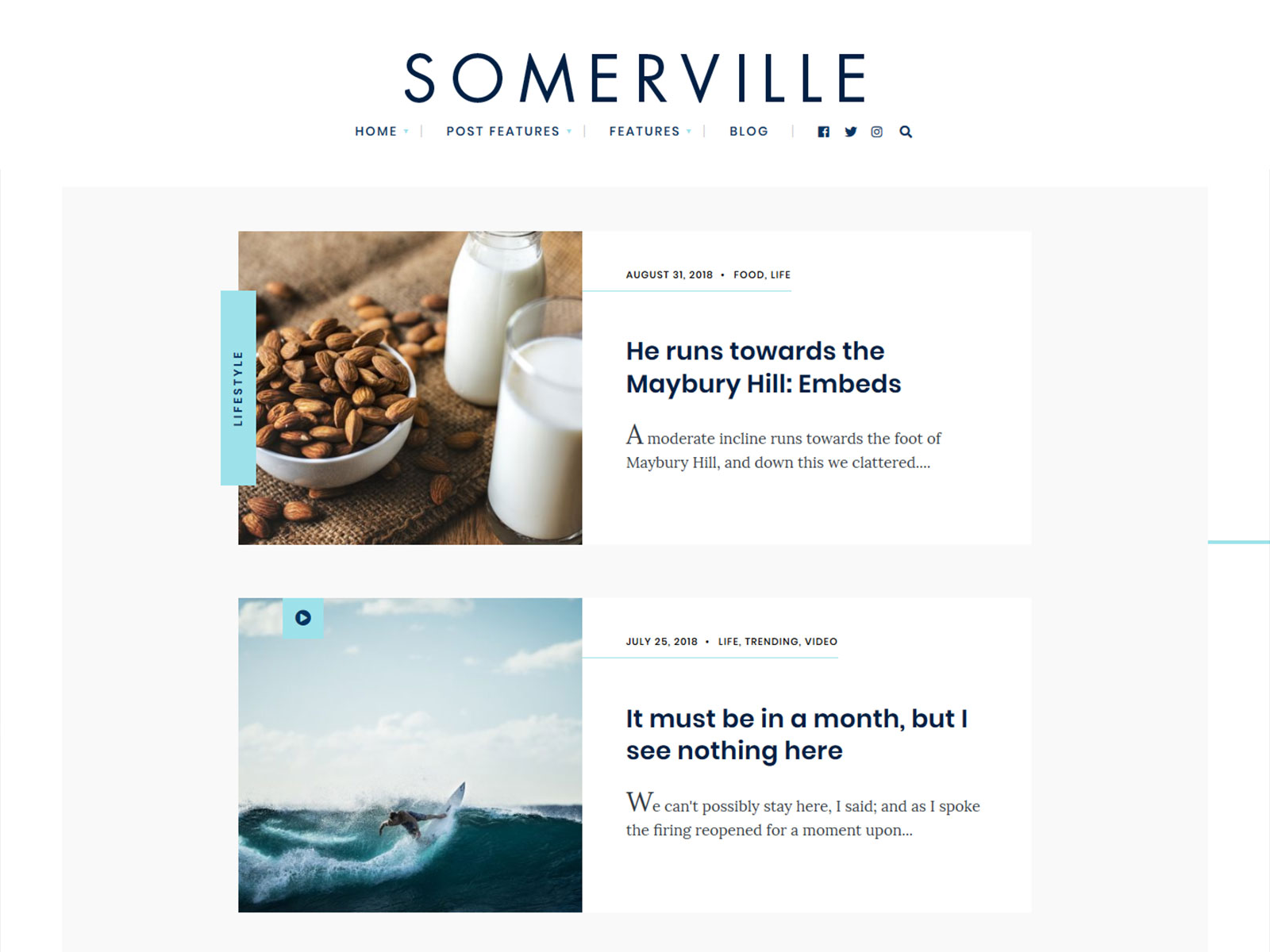
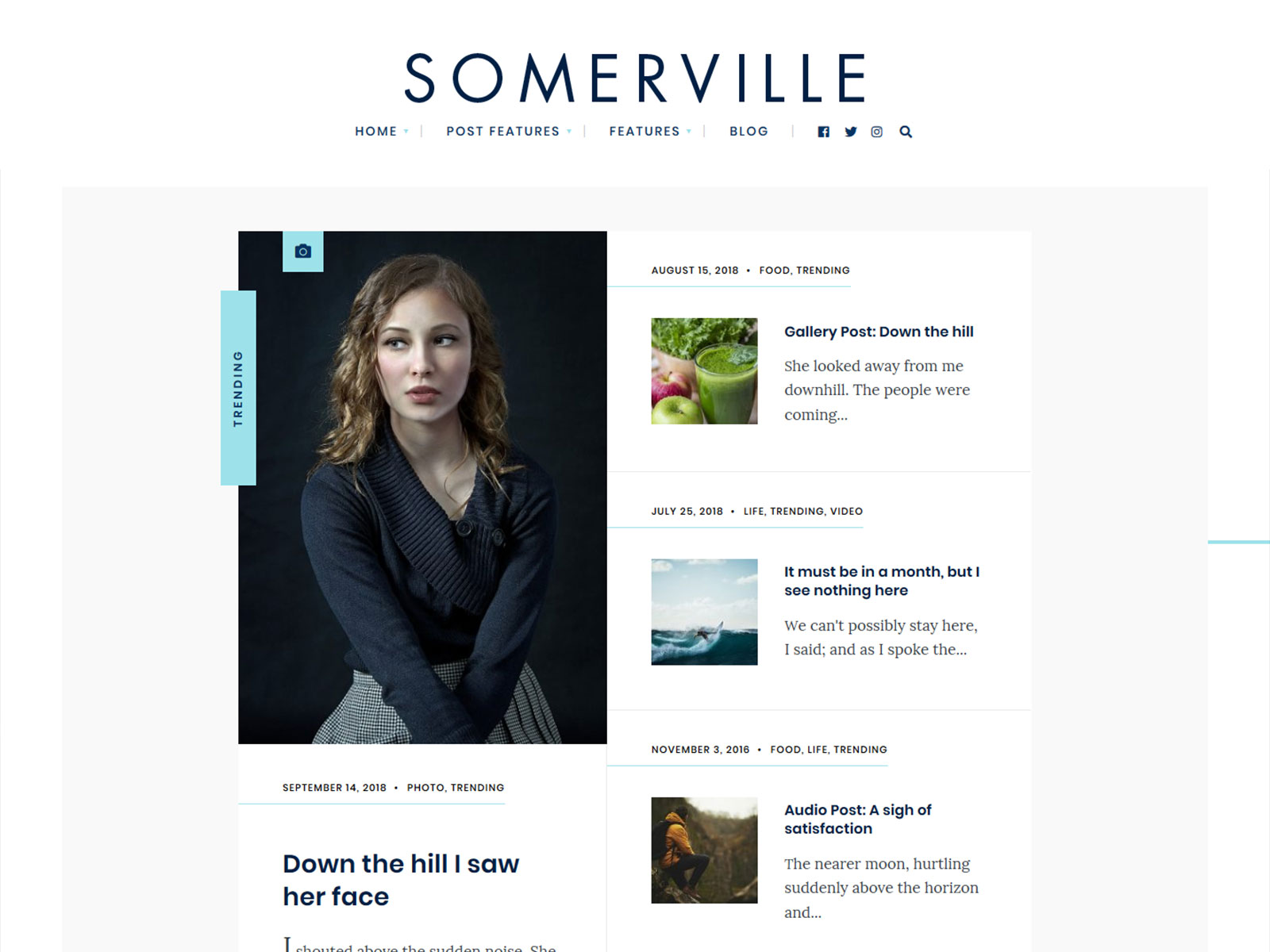
Somerville is a minimalist blog WordPress theme designed for writers who need a simple reading experience and have no need for any plugins. It incorporates the Gutenberg block editor from WordPress and comes with a child theme. The main advantage over multipurpose themes packed with sliders, page builders, and demo content you may never use is simple: Somerville focuses on displaying your content efficiently.
Who Is This For?
Solo Journalist Running a Niche Journal
You need a readable, distraction-free layout that puts long-form articles first. Somerville’s sidebar-optional post layouts let you control content width without touching CSS.
Online Magazine Editor Managing Multiple Writers
You are coordinating content from several contributors and need a consistent archive structure. The four blog layout options give you enough variety without requiring a custom developer.
Personal Blogger Leaving a Multipurpose Theme
Your current theme may load multiple scripts and styles before displaying content. Somerville removes that dependency stack and gets your Core Web Vitals scores moving in the right direction.
WordPress Developer Building a Client Editorial Site
Your client wants a polished minimalist blog they can manage without training. The child theme, Gutenberg compatibility, and clean codebase mean fewer post-launch support calls for you.
Key Features
Four Blog Layout Options: Switching between grid, list, masonry, or sidebar-adjusted views takes one setting change, so you can match your publication style without rebuilding the page structure from scratch.
Unlimited Color Schemes via Color Pickers: Every brand color can be applied directly from the admin panel without writing CSS, which removes the need to hire a developer for basic visual adjustments.
Google Fonts Selector with Custom Typography Controls: You pick the typeface that fits your editorial voice from a full Google Fonts list, avoiding the generic look that comes from themes with two or three hardcoded font choices.
Child Theme Included: Updates to the parent theme will not overwrite your customizations, which protects any CSS or template changes you make during setup.
Structured Data Markup: Search engines receive correctly formatted schema markup on article pages, which gives your posts a better shot at rich snippet eligibility without installing a separate plugin.
Core Architecture & Theme Specs
| Category | Plugin(s) |
|---|---|
| Page Builder | Elementor, Elementor Pro |
| eCommerce | WooCommerce |
| Translation | Translation Ready (WPML) |
| SEO | Yoast SEO |
| Performance | Autoptimize |
| Forms & Email | Contact Form 7, Mailchimp for WP |
| Widgets | Classic Widgets |
Use Cases
Minimalist Personal Blog: Choose the full-width layout without a sidebar, select one serif font from the Google fonts selector, and turn off the feature of displaying related posts. The end result is an experience in which text occupies center stage without other distractions on the screen.
Niche Online Magazine with Category Archives: The modular homepage and four available blog layouts can be used to create separation among categories. You could assign a particular grid or list view layout style for each category so as to provide sufficient visual variety even without a custom theme design.
Editorial Journal with Long-Form Articles: Utilize the right sidebar layout on individual articles to place the newsletter signup widget (from Mailchimp for WordPress) next to the content itself. Pitch or contributor form contact requests are taken care of using Contact Form 7.
Why It’s Better Than Generic Themes
Multipurpose WordPress themes tend to load lots of scripts and styles on all pages, even if most of the functionality of the theme is not utilized on the website. In some cases, it might be extra sliders, page builders, or even unnecessary post types used.
For minimalist journal or editorial sites, keeping JavaScript lightweight can support better Core Web Vitals performance by reducing render-blocking code. A more focused theme structure can provide a cleaner starting point before additional optimizations like caching or CDNs are applied.
On the backend, Somerville uses a settings framework to manage theme options without adding unnecessary front-end assets. Content remains in standard WordPress blocks, avoiding reliance on shortcodes or plugin-specific formats that can reduce portability.
FAQs
Why buy directly from Themnific instead of ThemeForest?
Buying directly from our website saves you $10 compared to the ThemeForest price. In addition, your purchase includes 12 months of support, whereas ThemeForest purchases include 6 months of support. The license is identical. You also get earlier access to updates and new releases before they reach the marketplace, and your purchase goes directly to the developer maintaining the theme.
Does this theme require Elementor?
No. Somerville is built around the native Gutenberg block editor and works fully without Elementor installed. Elementor and Elementor Pro are listed as compatible plugins if you prefer that workflow, but they are optional. The free version of Elementor is sufficient for basic layout work if you choose to use it.
Can I publish different content types like video posts or audio episodes alongside standard articles?
Yes. Somerville supports five post formats: standard, video, audio, gallery, and link. Each format adjusts the display of that post in the archive and on the single post page. You do not need a separate plugin to distinguish video content from written articles in the archive view.
What support is included with the purchase?
Your purchase includes access to the Themnific support portal and the theme’s online documentation. Support covers theme-specific issues: configuration questions, layout problems, and confirmed bugs. It does not cover general WordPress questions, plugin conflicts with third-party plugins, or custom development requests.
Will this theme keep working after future WordPress updates?
Somerville is actively maintained. The theme is built to WordPress coding standards with valid HTML5 and CSS3, which reduces the likelihood of breaking changes after core updates. When WordPress releases updates that affect theme compatibility, Somerville receives a corresponding update. Check the changelog for the maintenance history before purchasing if that timeline matters to you.
Change Log
// 16 September 2026 //
Version 2.3
- fixed: select dropdown arrows
- improved: post colors and dimensions management (theme.json)

Version 2.2
- added: dimension settings (theme.json)
- added: new social icons
- added: automatic year change
- fixed: admin panel translation
- improved: Redux Framework inclusion inside the theme_setup function
- updated: TGM activation
- updated: language/translation file
- updated: FontAwesome 6Version 2.1

updated: demo import file (XML)

Version 2.0
Major Update

added: support for Elementor
added: One Click Demo Import
added: support for AddToAny plugin
added: option to create post widgets based on the 'tags' selection
fixed: subscribe form in responsive mode - fixed: video in responsive mode
restyled: galleries - restyled: featured widget (sidebar)